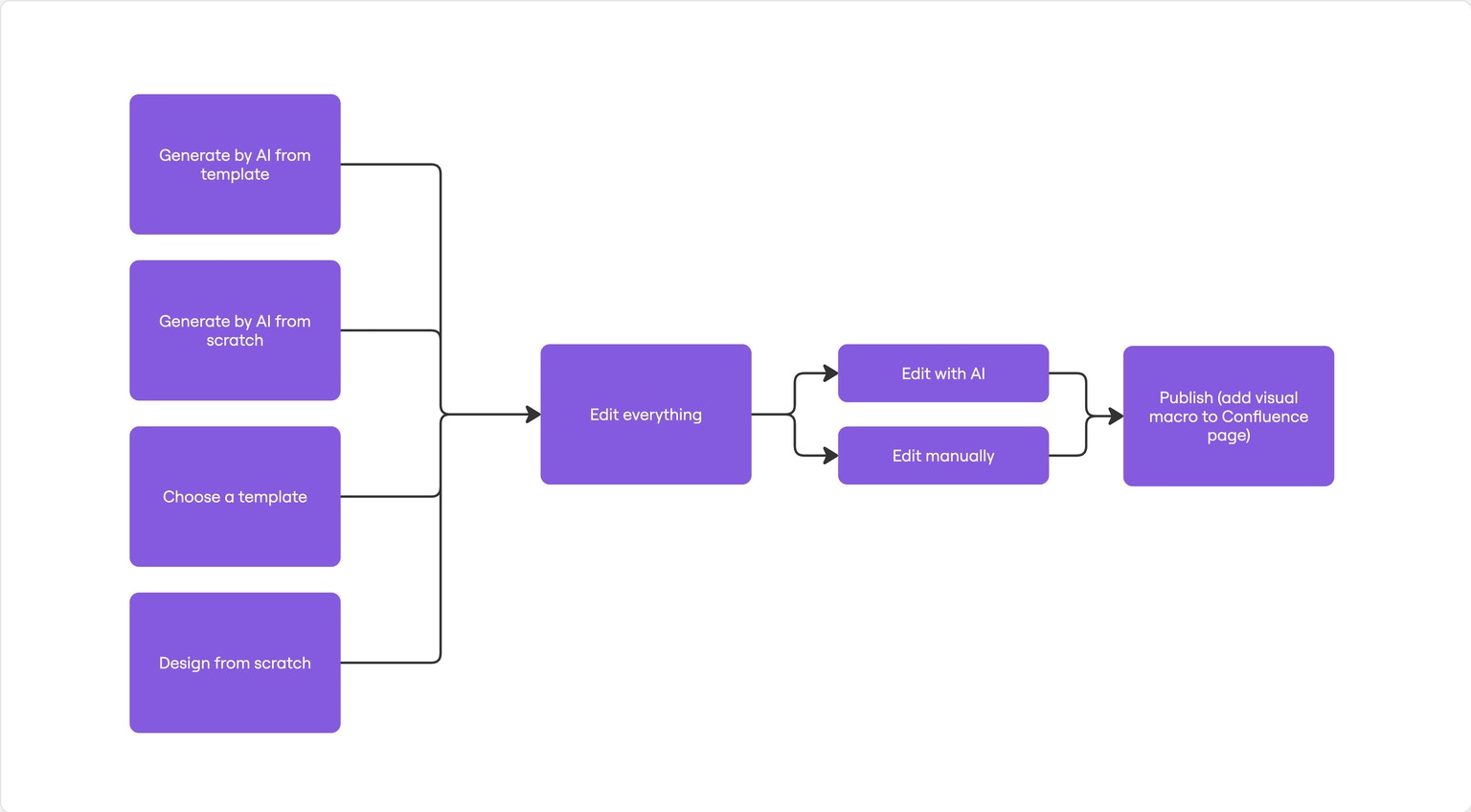
Product Page
https://acceleration-engineering.com/products/skylineFeatures
AI features:- generate visual Confluence page with AI (from a template or from scratch)
- edit visual Confluence page with AI
- deep research - prepare a visual page with data fetched from the web and crafted by AI using advanced reasoning
- design from a screenshot
- design visual Confluence page with drag&drop, no-code page builder
- templates library - a collection of pages which you can edit and publish quickly
- components: Text, Image, Button, 3D icons, Divider, Spacer, 30+ fonts
- high-quality image and video library
- animations
How it works
Technically, Skyline is a Confluence macro. You can use it the same way as other macros, and you can add multiple macros to one Confluence page. The Skyline page content is stored within macro data. The app’s purpose is to add new visually-formatted content to the Confluence page. The only read of the existing Confluence content is checking the current page status (draft/published) to be able to upload attachments to the page (user-uploaded images) when page is in a draft state. Besides that, the app doesn’t read classic Confluence pages content.How to open the app
Type/skyline in the Confluence editor and click Enter to open the Editor

Confluence Macro width
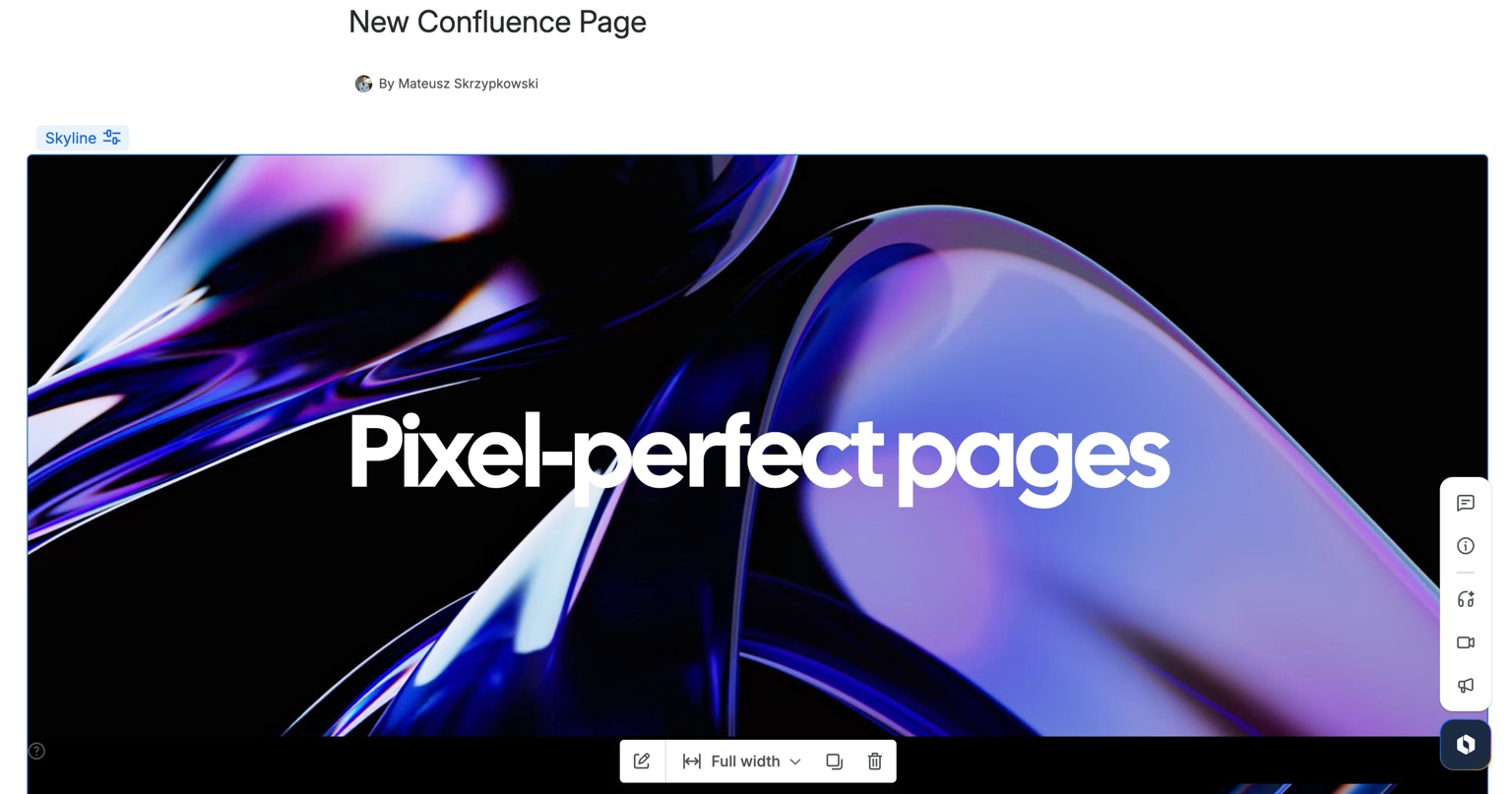
Click on the Macro name “Skyline” and then you can access Configuration bar. Click on the width selection button -> “Go full width” to change the Macro size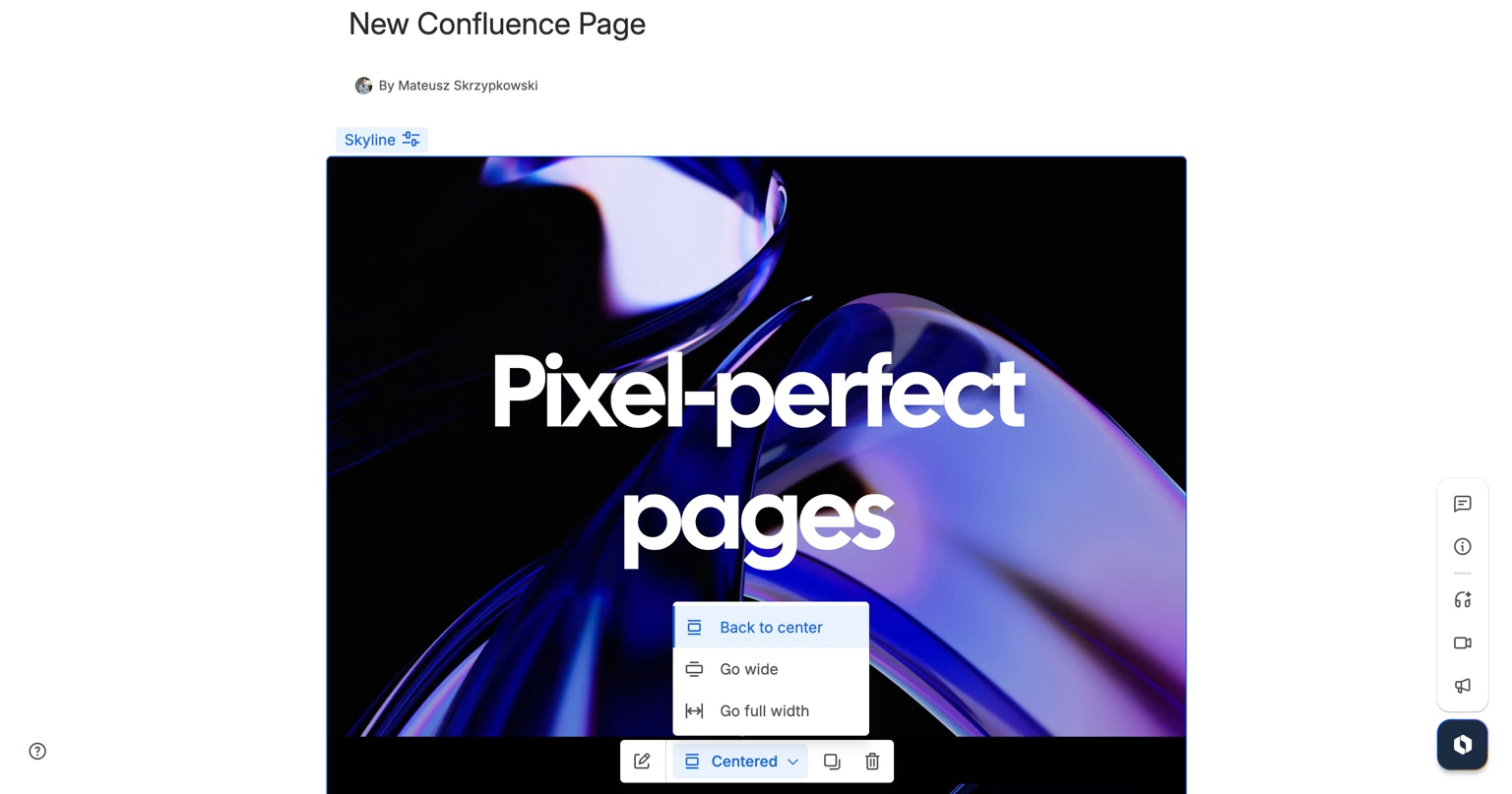
AI Generation
Click on “Generate with AI” button to open the generation screen. Describe the page you want to create. The more details the better. To achieve best results, we recommend generating a page from template or by referencing a style. Selecting the template is optional.AI Edition
Chat with AI in the sidebar to edit the page, add new sections etc.AI Credits
Every AI call deducts Credits according to the prompt length, page size, model and the use of web search by AI model. The user can buy personal/organization AI Credits by clicking + next to AI Credits amount.Page creation flow